Reusable WordPress Sections
Reusable WordPress Blocks for Editor-Friendly Pages
Developed through an AI-accelerated, developer-led workflow, these reusable WordPress blocks are built around structured content, guided editor controls, responsive layouts, accessible markup, and portable styling.
These blocks help clients and agencies build pages that stay easier to update without relying on fragile one-off templates or overwhelming editors with freeform layout decisions.

Reusable WordPress blocks built around structured content, editor-safe controls, and portable front-end patterns.
Editing workflow
How pages stay easy to update
Each block connects four decisions that are often handled separately: the content model, the editor controls, the front-end output, and the way the pattern can support future pages.
-
Content Model
Start with the real content shape, not just the layout.
-
Editor Controls
Map safe editing options to that content structure.
-
Front-End Output
Render the content as accessible, responsive markup.
-
Reusable Sections
Repeat the pattern across pages, brands, or content types without starting over.
Why this approach exists
Reusable blocks should solve editing problems, not just layout problems.
Clients often need flexible page sections, but the real problem is usually maintaining structure after launch. Reusable blocks give editors safe controls for real content needs while keeping design, accessibility, and responsive behavior consistent.
It avoids handing editors unlimited layout freedom while still giving them enough control to publish useful, on-brand pages without developer help.
Reusable Blocks
Reusable sections in practice
Each portfolio piece focuses on a different use case, but they all share the same underlying goal: give editors guided controls that still feel flexible in the canvas.
Block Example
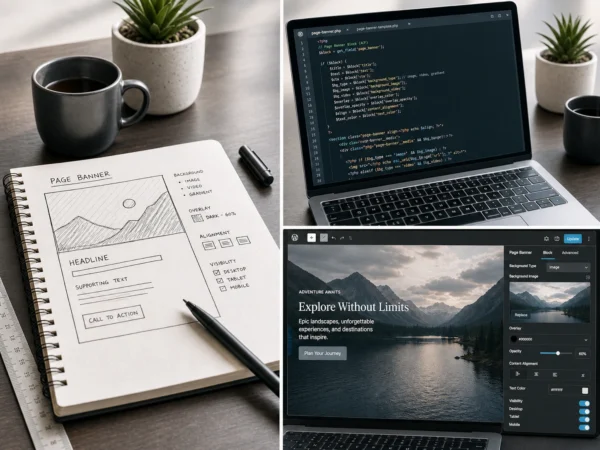
Page Banner
Media-driven page banners with image and video backgrounds, overlay controls, and editor-friendly readability settings.
View case study
Block Example
Flexible Feature Section
A reusable media and text layout for service sections, feature callouts, and content-led landing page sections.
View case study
Block Example
Filtered Content Grid
A CPT and taxonomy-powered resource grid with smooth no-reload filtering and a structured content model.
View case study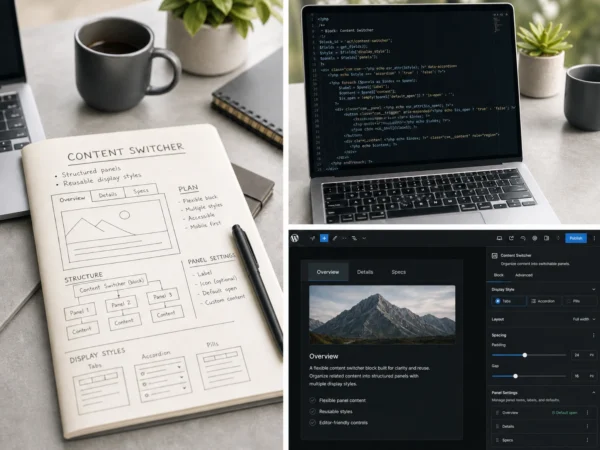
Block Example
Content Switcher
A parent/child panel pattern with tabs, pills, vertical layouts, mobile fallback, deep links, and keyboard support.
View case study
Block Example
Comparison Cards
Editor-friendly comparison cards for pricing, memberships, service tiers, and product options.
View case study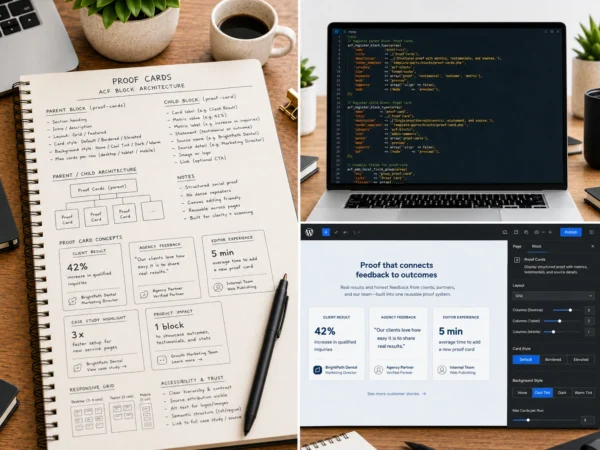
Block Example
Proof Cards
Structured social proof cards for testimonials, outcomes, metrics, source details, and credibility signals.
View case studyEditor Experience
Designed for the person editing the page after launch
The work is not just about front-end polish. It is built around a manageable workflow for the editor who will keep using the page after the handoff.
Parent and child blocks handle card and panel patterns more cleanly than dense repeaters, guided controls replace unlimited layout freedom, canvas previews reduce guesswork, and the whole approach makes agency handoff easier.
Proof Cards is a good example: it started as a repeater because the content model looked simple, but testing showed that multiple items were painful to manage in the sidebar. The final version uses one child block per proof item.
Technical Approach
Technical approach
The implementation stays readable for clients and agencies while still using the right WordPress primitives under the hood.
- ACF Blocks and block.json registration for reusable components.
- ACF JSON field groups for structured, portable content models.
- InnerBlocks for parent and child block patterns where canvas editing makes sense.
- Scoped block CSS and shared design tokens for maintainable styling.
- Semantic markup and responsive CSS Grid for stable, accessible layouts.
- JavaScript only where behavior requires it.
- CPT and taxonomy integration where structured content browsing is needed.
Client value
Why this matters for clients and agencies
Reusable blocks help clients maintain pages without losing design quality, while giving agencies cleaner editing patterns to document, extend, and hand off.
For clients
Editors get useful controls without being asked to make layout decisions that should already be handled by the build.
- Update pages without rebuilding layouts
- Keep content on-brand after launch
- Reduce dependency on developer support
For agencies
The approach creates repeatable implementation patterns that are easier to explain, maintain, and extend.
- Hand off clearer editing patterns
- Reuse proven components across pages
- Reduce long-term support friction
Common question
Where this approach helps
Different WordPress projects need different editing models. I work across page builders, ACF Blocks, and custom block approaches depending on how much freedom, structure, and editor engineering the project actually needs.
Page builders are useful when
- Teams need broad visual composition tools
- Designers or editors need to assemble many layout variations
- Global builder components are already part of the workflow
- The project accepts the tooling tradeoffs
ACF Blocks are useful when
- The site needs reusable components without a full builder layer
- Editors need guided fields and a block preview that stays close to the final page
- The front-end pattern is the important part
- Markup, performance, and theme control matter
- The client wants fewer dependencies and less long-term lock-in
Custom Gutenberg blocks are useful when
- The editor UI needs custom React behavior
- The block has complex state, interactions, or nested editing logic
- The block belongs in a reusable plugin or product
- The editing experience needs to differ significantly from standard field controls
- Long-term JavaScript maintenance is part of the plan
The choice is not page builders versus ACF Blocks versus custom Gutenberg blocks. The choice is how much layout freedom and custom editor engineering the project actually needs.
Closing Thought
Need reusable WordPress blocks built around your content model?
I build structured, editor-friendly WordPress components that help clients manage real content without sacrificing design quality, accessibility, or maintainability.